


 Cooked rice
 Stale bread
 Chicken breasts
 Ripe bananas
 Lettuce
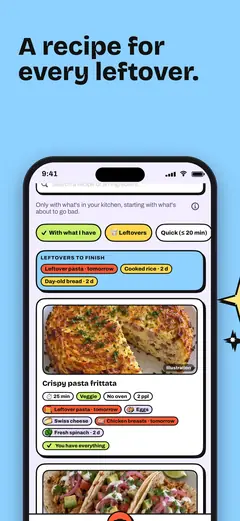
Crispy pasta frittata
It saves: Pasta · tomorrowEggs
The iPhone app for your leftovers
Snap a photo of your groceries. FridgEat logs everything in your fridge, gives you a heads-up the day before things expire and finds a recipe for every leftover.
Psst… your pasta’s due tomorrow!
For iPhone. Requires iOS 17 or later.

Snap
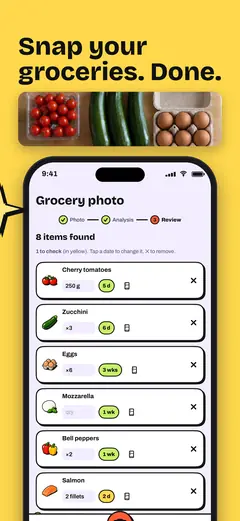
Set your groceries on the table, snap a photo (up to four photos at once) and FridgEat picks out everything that goes in the fridge. Each item gets an estimated date, worked out right on your iPhone, that you can fix with a tap if the package says otherwise.
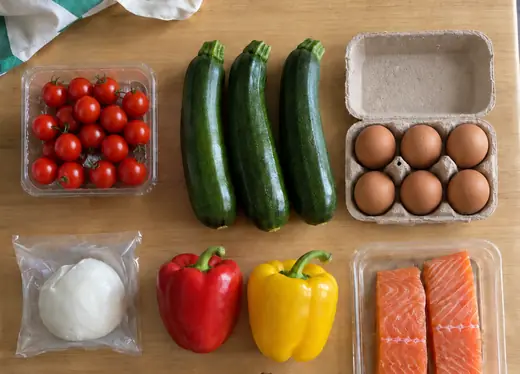 6 items found
 Cherry tomatoes250 g5 d
 Zucchini×36 d
 Eggs×63 wks
 Mozzarella×11 wk
 Bell peppers×21 wk
 Salmon2 fillets2 d
Cook
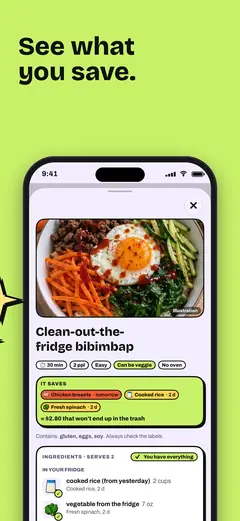
Yesterday’s pasta, cooked rice, day-old bread: FridgEat puts what needs eating first front and center, then suggests recipes that use it up. 220 step-by-step recipes, tailored to your diet, allergies and kitchen gear.
It saves: Pasta · tomorrowEggs

It saves: Cooked rice · 2 dSpinach · 2 d
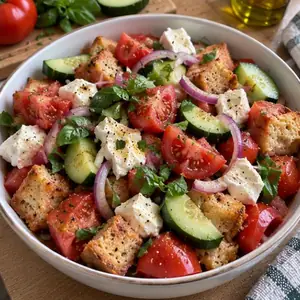
It saves: Day-old bread · 2 dTomatoes
Remind
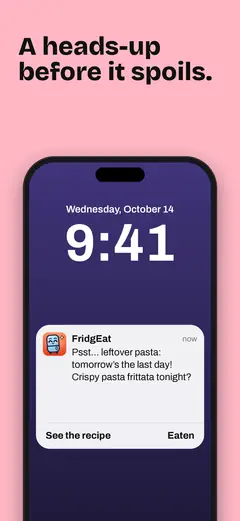
When something’s about to hit its use-by date, FridgEat gives you a heads-up the day before, at the time you choose, often with a recipe idea to use it up.
Wednesday, October 14
9:00

FridgEat
nowPsst… your leftover pasta’s due tomorrow! Pasta frittata tonight?
Saved from the trash!

The day before the date, at the time you choose (here 9 PM).
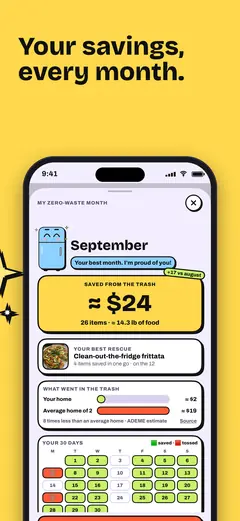
Your September recap
26 items eaten in time, about 14 lb of food. Every month, FridgEat shows you what you saved, plus a quick recap every Sunday.
Example. Estimates always start with “≈”.
Start my first month on the App Store, freeSeptember green: saved · red: tossed
There’s more
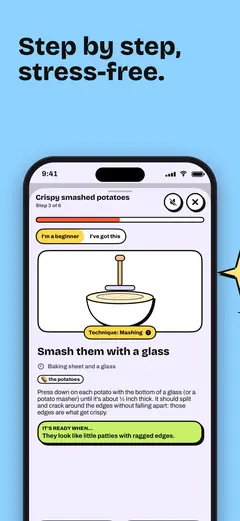
Step 3 of 6FridgEat
Smash each potato with a glass.
One step per screen, an animated move for each technique, timers and read-aloud. Your screen stays on while you cook.
Thanks Tom! Yogurt: taken care of.
Checked off by Léa: milk.
Share your fridge with your household, up to 6 people: items, the shopping list and planned dinners stay in sync for everyone, through iCloud.
A challenge every month, 32 badges to unlock and week-long duels with friends: who saves the most food?
The app in pictures
Privacy
FridgEat is here to organize your fridge, not to track you.
No sign-up, no password. Your fridge is stored on your iPhone and, if you use iCloud, synced to your iCloud, where we can’t read it.
No advertising in FridgEat, and no tracking across apps.
With your consent, a photo is analyzed by AI (Claude, by Anthropic) to list your items. FridgEat doesn’t keep it; Anthropic may retain it for up to 30 days, except for legal or security reasons.
Nothing goes to the AI without your consent, and you can withdraw it anytime under My profile, in the Privacy section.
Pricing
The essentials are free, forever. FridgEat+ adds more photo analyses and recipes written just for you.
$0
Forever, no strings attached.
$2.99 a month
or $19.99 a year, just $1.67 a month
7-day free trial for eligible users
Prices shown are a guide for the US; £2.99 a month or £19.99 a year in the UK. Prices vary by country: the price the App Store shows when you buy is the one that applies. Your subscription renews automatically unless you cancel at least 24 hours before the end of the current period, in your Apple account settings. Payments and refunds are handled by Apple. Terms of Use
Nope. FridgEat works without an account or a password. Your data lives on your iPhone and, if you use iCloud, in your iCloud.
Yes. Reminders, step-by-step recipes, the shopping list, the shared fridge and recaps are all free, with 5 free photo analyses and then 2 a month. FridgEat+ is an optional subscription if you want more.
Yes, for free, with up to 6 people. In My profile, open My household and tap “Invite someone.” The invite goes through iCloud, so everyone needs an iCloud account. Each person keeps their own profile and settings.
Still curious? Check out the help center or email us at bonjour@fridgeat.app.
Free, no account needed, made for iPhone.
Get FridgEat on the App Store, for iPhone

